
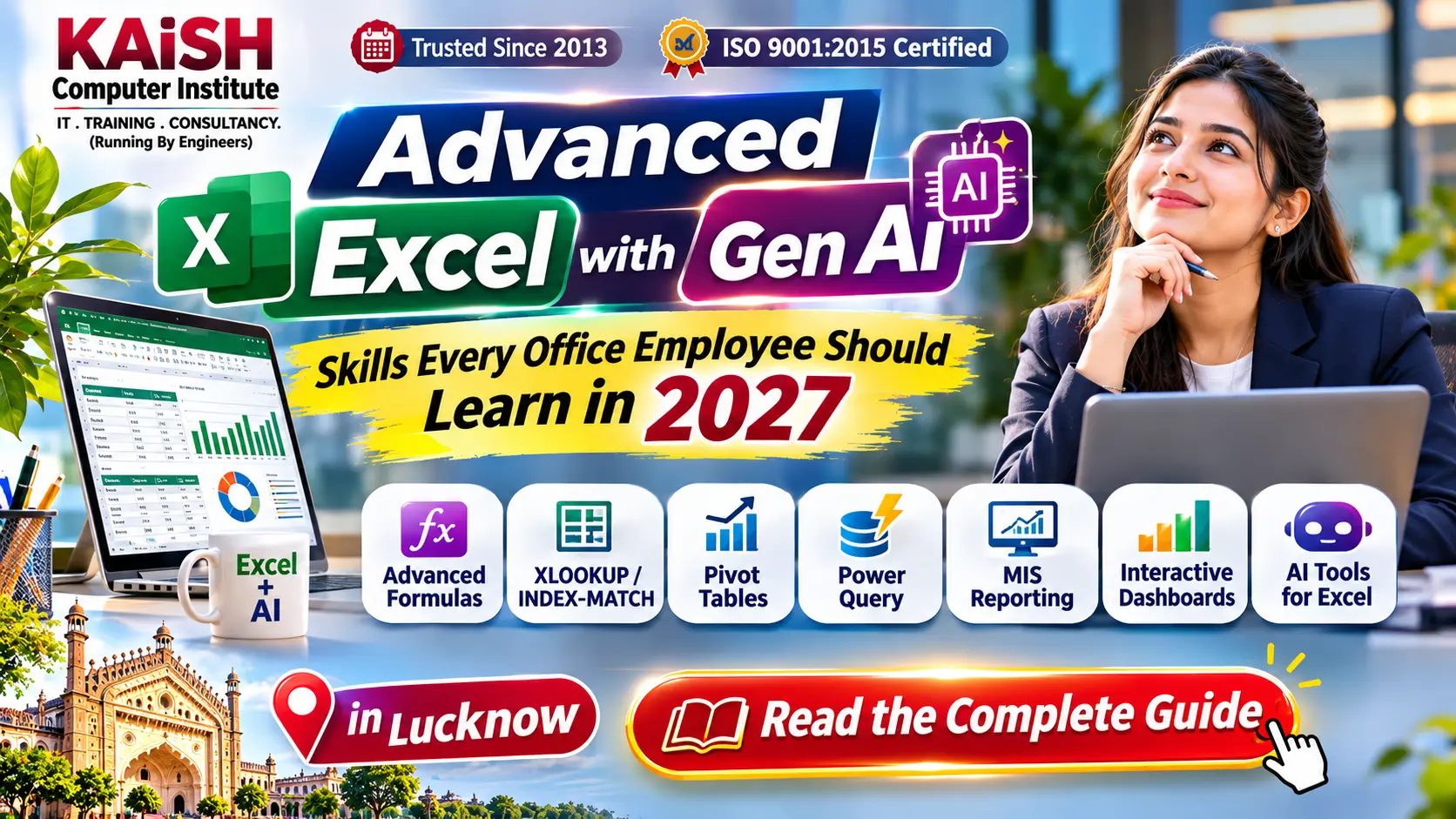
Advanced Excel with Gen AI: Skills Every Office Employee Should Learn in 2027
📚 Table of Contents
Want to improve your office productivity and Excel skills in 2027? Learn Advanced Excel with Gen AI, including advanced formulas, XLOOKUP, Pivot Tables, Power Query, MIS Reporting, Excel Dashboards and AI-assisted workflows. Explore professional Advanced Excel training at KAiSH Computer Institute, Aliganj, Lucknow, designed for office employees, graduates and job seekers.
📌 Quick Summary
Advanced Excel with Gen AI: Why These Skills Matter for Every Office Employee in 2027 Are you still spending hours preparing Excel reports, managin...
This article is written for beginners who want to learn and build a career in Advanced Excel with Gen AI: Skills Every Office Employee Should Learn in 2027.
Advanced Excel with Gen AI: Why These Skills Matter for Every Office Employee in 2027
Are you still spending hours preparing Excel reports, managing spreadsheets, calculating business figures and updating office records manually? If yes, it may be time to upgrade your Excel skills.
Microsoft Excel remains one of the most widely used tools in offices, businesses, accounting departments, educational institutions and corporate environments. However, basic Excel knowledge is no longer enough for many professional reporting and data management tasks.
In 2027, professionals who understand Advanced Excel, MIS Reporting, Data Analysis, Dashboard Creation and AI-assisted workflows can develop a stronger foundation for modern office responsibilities.
Learning Advanced Excel with Gen AI is not simply about memorising formulas. It is about understanding how to manage data, reduce repetitive work, prepare accurate reports and communicate business information effectively.
If you are searching for an Advanced Excel Course in Lucknow, this guide explains the important skills, practical applications, course topics and how to choose the right training institute.
What Is Advanced Excel with Gen AI?
Advanced Excel with Gen AI combines professional spreadsheet skills with the use of Generative AI tools to support everyday Excel-related tasks.
Advanced Excel focuses on formulas, functions, data analysis, Pivot Tables, Power Query, dashboards and reporting. Generative AI tools such as ChatGPT and Microsoft Copilot can assist with formula explanations, report ideas, data analysis prompts and spreadsheet workflows.
For example, instead of struggling to understand a complex formula, you can ask an AI assistant to explain its logic, suggest an alternative and provide a sample calculation. You should still test and verify the result before using it in important business reports.
Why Should Office Employees Learn Advanced Excel in 2027?
Almost every business generates data. Sales figures, employee attendance, inventory, customer records, expenses, invoices and performance reports all require organised data management.
Excel helps professionals convert this information into meaningful reports.
1. Improve Office Productivity
Learn to use formulas, functions, shortcuts, templates and automation techniques to complete repetitive spreadsheet tasks more efficiently.
2. Prepare Professional Reports
Use Pivot Tables, charts, formulas and dashboards to organise business information and present it clearly.
3. Handle Large Data Sets
Learn data cleaning, sorting, filtering, lookup functions and Power Query to manage structured information.
4. Understand AI-Assisted Workflows
Explore how AI tools can help explain formulas, suggest calculations, analyse data and improve spreadsheet workflows.
5. Develop Professional Skills
Advanced Excel knowledge is useful across accounting, administration, operations, sales, finance, MIS and reporting functions.
Advanced Excel Syllabus: Important Skills You Should Learn
A good Advanced Excel training program should cover practical spreadsheet concepts, professional reporting techniques and real-world assignments.
Module 1: Advanced Excel Formulas and Functions
Formulas and functions are the foundation of professional Excel work.
- Logical Functions: IF, IFS, AND, OR, IFERROR
- Lookup Functions: VLOOKUP, HLOOKUP, XLOOKUP
- INDEX and MATCH
- SUMIF and SUMIFS
- COUNTIF and COUNTIFS
- AVERAGEIF and AVERAGEIFS
- Text Functions: LEFT, RIGHT, MID, LEN, TRIM, TEXTJOIN
- Date and Time Functions
- Dynamic Array Functions: FILTER, SORT, UNIQUE (supported Excel versions)
Practical Example: An office employee can use SUMIFS to calculate monthly sales for a particular employee, department or region without manually filtering every transaction.
Module 2: Data Management and Analysis
- Sorting and Filtering
- Advanced Filter
- Remove Duplicates
- Data Validation
- Conditional Formatting
- Text to Columns
- Flash Fill
- Data Cleaning Techniques
- Working with Structured Tables
Practical Example: Clean a customer database, identify duplicate records and highlight incomplete information.
Module 3: Pivot Tables and Pivot Charts
Pivot Tables help summarise large amounts of data and make reporting easier.
- Creating Pivot Tables
- Grouping Dates and Categories
- Summarising Sales and Expenses
- Calculated Fields
- Pivot Charts
- Slicers and Timelines
- Interactive Reporting
Practical Example: Create a monthly sales summary showing region-wise revenue, employee performance and product-wise sales.
Module 4: MIS Reporting in Excel
MIS stands for Management Information System. MIS Reporting involves organising business data into structured reports that help management monitor performance and operations.
- Daily and Monthly MIS Reports
- Sales MIS Reporting
- Employee Attendance Reports
- Inventory and Stock Reports
- Expense Tracking
- Target vs Achievement Reports
- Performance Summary
- Automated Report Formats
Practical Example: Prepare an employee performance report with total targets, achieved targets, pending targets and achievement percentages.
Module 5: Advanced Excel Dashboards
A dashboard presents important information through charts, tables, KPIs and interactive filters.
- Dashboard Planning
- KPI Cards
- Column and Bar Charts
- Line and Pie Charts
- Interactive Slicers
- Dynamic Charts
- Management Summary Reports
- Dashboard Formatting and Design
Practical Example: Create an interactive business dashboard displaying revenue, expenses, profit, monthly trends and regional performance.
Module 6: Power Query and Data Transformation
Power Query is useful for importing, cleaning, transforming and combining data from different sources.
- Importing Excel and CSV Data
- Removing Unnecessary Columns
- Handling Missing Values
- Changing Data Types
- Combining Multiple Files
- Merge and Append Queries
- Refreshing Data
Practical Example: Combine monthly sales files into a single reporting table and refresh the data when new files are added.
How Can Generative AI Make Excel Work Easier?
Generative AI introduces new ways to interact with spreadsheet data. Rather than relying only on manual trial and error, users can describe a task in natural language and request help from an AI assistant.
1. Generate and Understand Excel Formulas
You can describe your calculation requirement and ask an AI assistant to suggest an Excel formula with an explanation.
Example Prompt:
I have employee names in Column A and monthly sales in Column B. Suggest an Excel formula to calculate total sales for each employee.
2. Understand Complex Formulas
Ask AI to explain a formula step by step, identify the purpose of each function and show a small example.
3. Analyse Business Data
AI-assisted Excel tools can help identify trends, unusual values, summaries and patterns in structured data.
4. Create Reporting Ideas
Ask AI to suggest suitable KPIs, chart types and dashboard layouts based on your business reporting requirements.
5. Improve Spreadsheet Workflows
Use AI to understand repetitive tasks, generate documentation and explore possible ways to improve spreadsheet processes.
Important: Microsoft Copilot availability depends on the applicable Microsoft 365 subscription, account and organisational settings. Other AI assistants may require users to share or upload workbook data. Always protect confidential business information and verify AI-generated formulas, calculations and insights before using them.
Practical Projects You Should Complete During Advanced Excel Training
Learning formulas alone is not enough. Practical projects help you understand how Excel is used in real office environments.
Project 1: Employee Salary Management System
- Employee Information
- Basic Salary and Allowances
- PF and Other Deductions
- Net Salary Calculation
- Department-Wise Summary
Project 2: Sales Performance Dashboard
- Monthly Sales Data
- Salesperson Performance
- Region-Wise Analysis
- Target vs Achievement
- Interactive Charts
Project 3: Inventory Management Report
- Product Information
- Purchase and Sales Records
- Available Stock
- Low Stock Identification
- Inventory Summary
Project 4: Employee Attendance and MIS Report
- Daily Attendance
- Present and Absent Days
- Working Days Calculation
- Department-Wise Attendance
- Monthly Summary
Project 5: Business Performance Dashboard
- Revenue and Expenses
- Profit Analysis
- Monthly Comparison
- Performance KPIs
- Management Dashboard
Who Should Join an Advanced Excel Course?
Office Employees
Professionals who prepare daily reports, manage records, maintain spreadsheets and analyse office data can improve their existing Excel skills.
Graduates
B.Com, BBA, BCA, BA and B.Sc. graduates can consider Advanced Excel to develop practical digital and reporting skills alongside their academic qualifications.
Job Seekers and Freshers
Individuals preparing for office administration, MIS, accounts, back-office and operations-related roles can learn useful spreadsheet applications.
Accountants and Finance Professionals
Excel can support financial calculations, expense reports, reconciliation, data summaries and business analysis.
Business Owners and Entrepreneurs
Learn to organise sales, inventory, expenses, customer records and business performance reports.
Which Jobs Use Advanced Excel Skills?
Advanced Excel is used in several departments and professional functions.
| Job Role | How Excel Is Used |
|---|---|
| MIS Executive | Daily, weekly and monthly reporting |
| Accounts Assistant | Financial records and calculations |
| Back Office Executive | Data management and documentation |
| Operations Executive | Performance and operational reports |
| Sales Coordinator | Sales tracking and target reports |
| Reporting Executive | Dashboards and business summaries |
| Data Analyst Trainee | Data cleaning and spreadsheet analysis |
Advanced Excel alone does not guarantee employment or a particular salary. Job opportunities depend on qualifications, practical skills, experience, communication and employer requirements.
Basic Excel vs Advanced Excel vs Advanced Excel with Gen AI
| Skill Area | Basic Excel | Advanced Excel | Advanced Excel with Gen AI |
|---|---|---|---|
| Data Entry | Yes | Yes | Yes |
| Basic Formulas | Yes | Yes | Yes |
| Advanced Functions | Limited | Yes | Yes |
| Pivot Tables | Basic | Advanced | Advanced |
| MIS Reporting | Basic | Professional | Professional |
| Dashboards | Basic Charts | Interactive | Interactive |
| AI-Assisted Workflows | No | Optional | Included in Learning |
How to Choose the Best Advanced Excel Training Institute in Lucknow?
If you are looking for an Advanced Excel Institute in Lucknow, do not select a course based only on its fees or duration. Evaluate the quality of practical training and the topics included.
Check the Course Syllabus
Ensure that the program covers advanced formulas, lookup functions, Pivot Tables, dashboards, MIS Reporting and data management.
Focus on Practical Training
Look for assignments and projects involving salary sheets, sales reports, inventory management and business dashboards.
Understand the AI Component
Ask which AI tools are covered, how they are used and whether the training includes formula generation, explanations and AI-assisted analysis.
Check Trainer Experience
Choose a training environment where concepts are explained through practical examples and learners can ask questions.
Ask About Batch Options
Working professionals and college students should check whether the available class timings fit their schedules.
Advanced Excel Course in Lucknow at KAiSH Computer Institute
If you are searching for an Advanced Excel Course in Lucknow, KAiSH Computer Institute offers professional Excel training with a focus on practical applications and modern productivity tools.
Located in Aliganj, Kapoorthala, Lucknow, KAiSH Computer Institute has been providing computer and digital skills training since 2013.
What Makes KAiSH a Training Option to Explore?
- Established in 2013
- ISO 9001:2015 Certified Computer Training Institute
- Experienced Trainers
- Practical and Hands-on Training
- Advanced Excel and Gen AI Learning
- Professional Reporting and Dashboard Concepts
- Course Guidance and Counselling
- Afternoon and Evening Batch Options, subject to availability
Advanced Excel with Gen AI – Learning Areas
- Advanced Excel Formulas and Functions
- Lookup and Logical Functions
- Pivot Tables and Pivot Charts
- MIS Reporting
- Data Analysis and Data Cleaning
- Interactive Excel Dashboards
- Power Query
- ChatGPT and AI-Assisted Excel Workflows
- Practical Assignments and Projects
For the latest course syllabus, fees, duration and available batches, contact the institute directly.
Frequently Asked Questions About Advanced Excel with Gen AI
1. Which is the best Advanced Excel Course in Lucknow?
The best course should cover advanced formulas, XLOOKUP, INDEX-MATCH, Pivot Tables, Power Query, MIS Reporting, dashboards and practical assignments. KAiSH Computer Institute in Aliganj, Lucknow offers Advanced Excel with Gen AI training.
2. Can I learn Advanced Excel after graduation?
Yes. Graduates from commerce, management, science, arts and computer backgrounds can learn Advanced Excel. Basic computer knowledge is helpful for starting the course.
3. Is Advanced Excel with Gen AI useful for office employees?
Yes. It can help office employees improve spreadsheet management, reporting, data analysis and AI-assisted productivity workflows.
4. What is the difference between Basic Excel and Advanced Excel?
Basic Excel focuses on data entry, formatting and simple calculations. Advanced Excel covers complex formulas, lookup functions, Pivot Tables, data analysis, MIS Reporting and dashboards.
5. Can ChatGPT generate Excel formulas?
Yes. ChatGPT can suggest Excel formulas based on your requirements and explain how they work. Always test the suggested formula using your actual data.
6. What is MIS Reporting in Excel?
MIS Reporting is the process of preparing structured reports from business information. Excel is used to summarise sales, expenses, attendance, inventory and performance data.
7. Do I need coding knowledge to learn Advanced Excel?
No. Most Advanced Excel functions, formulas, Pivot Tables and dashboard concepts can be learned without programming. VBA and other automation topics may require additional programming concepts.
8. How long does it take to learn Advanced Excel?
The learning duration depends on your current knowledge, course syllabus, practice time and training schedule. Contact the institute for the current course duration.
9. Does Microsoft Excel have AI features?
Yes. Microsoft Copilot in Excel can assist with formula generation, workbook editing, summaries, data insights, charts and Pivot Tables, subject to supported versions, subscriptions and account availability.
10. Where can I join an Advanced Excel Course in Aliganj, Lucknow?
You can enquire at KAiSH Computer Institute, located in Aliganj, Kapoorthala, Lucknow. Contact +91 7348033936 for course details and batch availability.
Upgrade Your Excel Skills Before 2027 – Enquire at KAiSH Today!
Whether you are a graduate preparing for professional opportunities, an office employee looking to improve productivity or a job seeker developing practical computer skills, Advanced Excel with Gen AI can be a valuable addition to your learning journey.
Learn to manage data, prepare reports, build dashboards and explore AI-assisted Excel workflows through structured practical training.
Enquire About Advanced Excel with Gen AI at KAiSH Computer Institute
KAiSH Computer Institute
IT . TRAINING . CONSULTANCY.
(Running By Engineers)
Location: 2nd Floor, HIG-7, Sector-E, Aliganj, Near Kapoorthala Chauraha, Lucknow, Uttar Pradesh – 226024.
Call / WhatsApp: +91 7348033936
Website: www.kaishclasses.com
Estd. 2013 | ISO 9001:2015 Certified
Where Futures Are Coded.
🔗 Related Articles
https://www.kaishclasses.com/advanced-excel-course-in-lucknow.php https://www.kaishclasses.com/basic-excel-course-lucknow.php https://www.kaishclasses.com/blog/advanced-excel-with-ai-tools-training https://www.kaishclasses.com/ https://www.kaishclasses.com/about-kaish-computer-institute.php🌐 References
https://support.microsoft.com/en-us/excel/copilot/get-started-with-copilot-in-excel https://support.microsoft.com/en-us/excel/copilot/data-insights-with-copilot-in-excel https://support.microsoft.com/en-us/excel/analyze-data-in-excel👉 Want to start your career? Join KAiSH Computer Institute today.