
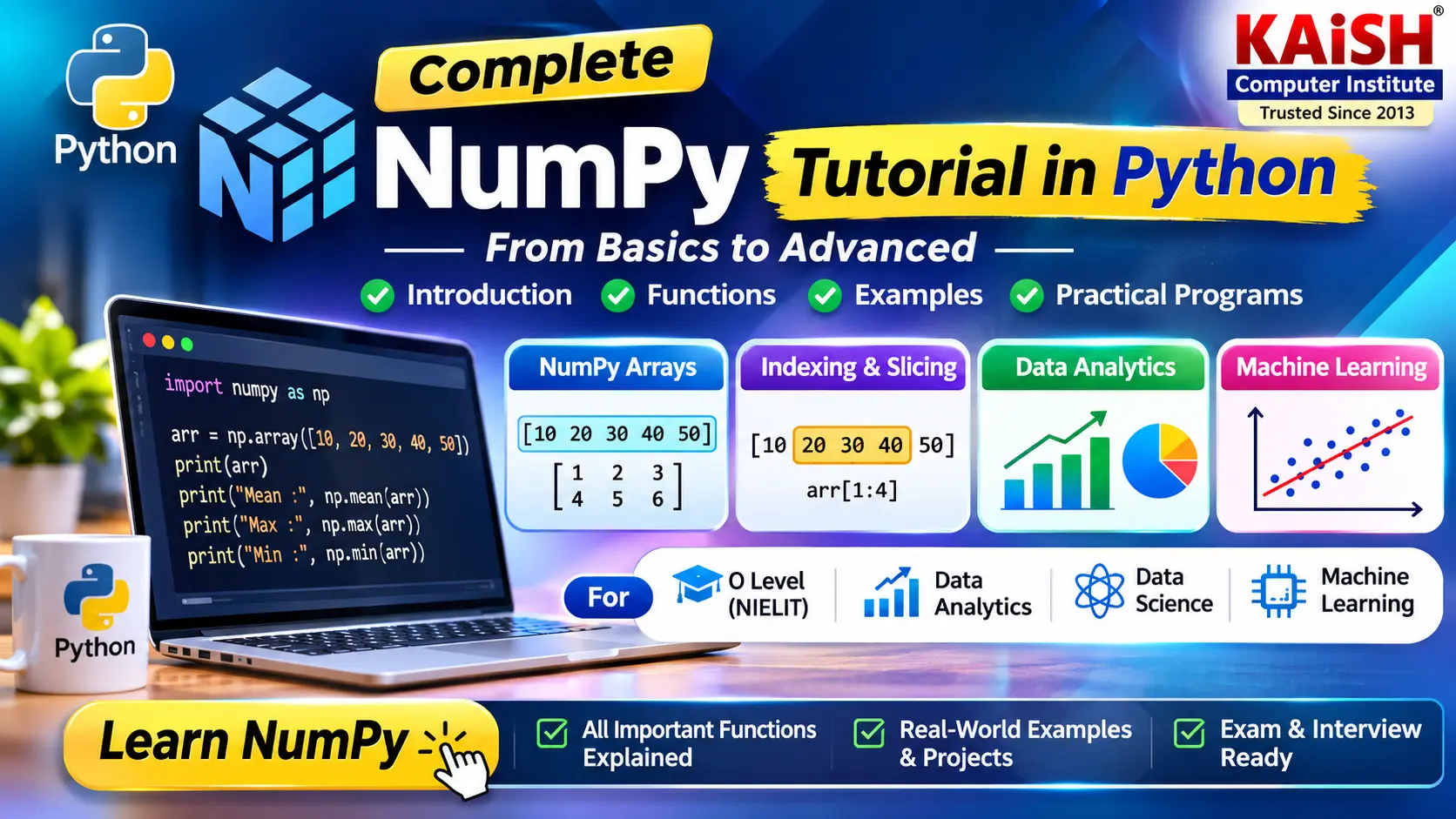
Complete NumPy Tutorial in Python: Functions, Examples & Practical Programs
📚 Table of Contents
Learn NumPy from basics to advanced with practical Python programs, important functions, array operations and real-world examples for NIELIT O Level, Data Analytics, Data Science and Machine Learning.
📌 Quick Summary
NumPy is one of the most important Python libraries for numerical computing, data analysis, scientific computing and machine learning. Whether you...
This article is written for beginners who want to learn and build a career in Complete NumPy Tutorial in Python: Functions, Examples & Practical Programs.
NumPy is one of the most important Python libraries for numerical computing, data analysis, scientific computing and machine learning. Whether you are preparing for NIELIT O Level, learning Data Analytics, entering Data Science or exploring Artificial Intelligence, understanding NumPy will give you a strong programming foundation.
In this complete NumPy tutorial, you will learn array creation, important NumPy functions, mathematical operations, statistical analysis, indexing, slicing, matrix operations and practical Python programs with real-world applications.
1. What is NumPy in Python?
NumPy stands for Numerical Python. It is an open-source Python library designed for efficient numerical computations. Its main data structure is the N-dimensional array, also known as ndarray.
NumPy makes it easier to perform mathematical calculations on large collections of numerical data without writing lengthy loops.
Where is NumPy Used?
- O Level: Python practicals, array handling and mathematical operations.
- Data Analytics: Sales analysis, statistical calculations and numerical data processing.
- Data Science: Data exploration, statistical analysis and scientific computing.
- Machine Learning: Feature scaling, matrix operations and numerical calculations.
- Artificial Intelligence: Numerical operations used in computational models.
2. Understanding NumPy Arrays
A NumPy array is a collection of elements arranged in one or more dimensions. Unlike a standard Python list, a NumPy array generally stores elements of the same data type and supports efficient vectorized calculations.
Types of NumPy Arrays
Program: Create a NumPy Array
import numpy as np

arr = np.array([10, 20, 30, 40, 50])

print("Array:", arr)
print("Type:", type(arr))
print("Dimensions:", arr.ndim)
3. Installing and Importing NumPy
Install NumPy using the following command in Command Prompt or Terminal:
pip install numpyImport NumPy into your Python program:
import numpy as np

print(np.__version__)
Here, np is the commonly used alias for NumPy.
4. NumPy Array Attributes
Array attributes provide information about the structure, dimensions, data type and memory usage of an array.
| Attribute | Meaning | Example |
|---|---|---|
| ndim | Number of dimensions | arr.ndim |
| shape | Shape of the array | arr.shape |
| size | Total number of elements | arr.size |
| dtype | Data type of elements | arr.dtype |
| itemsize | Memory used by one element in bytes | arr.itemsize |
| nbytes | Total element memory in bytes | arr.nbytes |
Practical Program
import numpy as np

arr = np.array([[10,20,30],
                [40,50,60]])

print("Dimensions:", arr.ndim)
print("Shape:", arr.shape)
print("Size:", arr.size)
print("Data Type:", arr.dtype)
print("Item Size:", arr.itemsize)
print("Total Memory:", arr.nbytes)
5. NumPy Array Creation Functions
Array creation functions help generate arrays from lists, ranges, fixed values and random numbers.
| Function | Meaning | Example |
|---|---|---|
| np.array() | Creates an array | np.array([1,2,3]) |
| np.zeros() | Creates an array of zeros | np.zeros(5) |
| np.ones() | Creates an array of ones | np.ones(5) |
| np.empty() | Creates an uninitialized array | np.empty(5) |
| np.arange() | Generates values using a step | np.arange(1,10,2) |
| np.linspace() | Generates equally spaced values | np.linspace(1,10,5) |
| np.eye() | Creates an identity matrix | np.eye(3) |
| np.full() | Fills an array with a given value | np.full(5,100) |
| np.random.rand() | Generates random decimal values | np.random.rand(5) |
| np.random.randint() | Generates random integers | np.random.randint(1,100,5) |
Program: arange() vs linspace()
import numpy as np

a = np.arange(1, 11, 2)
b = np.linspace(1, 10, 5)

print("Arange:", a)
print("Linspace:", b)
6. NumPy Data Types
NumPy supports integer, floating-point, Boolean and complex data types.
| Data Type | Meaning | Example |
|---|---|---|
| int32 | 32-bit integer | 100 |
| int64 | 64-bit integer | 5000 |
| float32 | 32-bit decimal | 10.5 |
| float64 | 64-bit decimal | 25.75 |
| bool | True or False | True |
| complex128 | Complex number | 2+3j |
Program: Convert Data Type
import numpy as np

arr = np.array([10.5, 20.7, 30.9])

new_arr = arr.astype(int)

print(new_arr)
print(new_arr.dtype)
7. NumPy Indexing and Slicing
Indexing accesses individual elements, while slicing extracts a portion of an array.
Program: Indexing and Slicing
import numpy as np

arr = np.array([10,20,30,40,50,60])

print("First Element:", arr[0])
print("Last Element:", arr[-1])
print("Slice:", arr[1:4])
print("Alternate:", arr[::2])
print("Reverse:", arr[::-1])
8. NumPy Mathematical Functions
NumPy provides mathematical functions that perform operations on individual elements or complete arrays.
| Function | Meaning | Example |
|---|---|---|
| np.add() | Adds values | np.add(a,b) |
| np.subtract() | Subtracts values | np.subtract(a,b) |
| np.multiply() | Element-wise multiplication | np.multiply(a,b) |
| np.divide() | Divides values | np.divide(a,b) |
| np.power() | Calculates powers | np.power(a,2) |
| np.sqrt() | Calculates square root | np.sqrt(a) |
| np.square() | Calculates square | np.square(a) |
| np.abs() | Absolute values | np.abs(a) |
| np.round() | Rounds decimal values | np.round(a,2) |
| np.floor() | Rounds down | np.floor(a) |
| np.ceil() | Rounds up | np.ceil(a) |
| np.exp() | Exponential calculation | np.exp(a) |
| np.log() | Natural logarithm | np.log(a) |
| np.sin() | Sine calculation | np.sin(a) |
| np.cos() | Cosine calculation | np.cos(a) |
Practical Program: Mathematical Operations
import numpy as np

a = np.array([10,20,30])
b = np.array([2,4,5])

print("Addition:", np.add(a,b))
print("Subtraction:", np.subtract(a,b))
print("Multiplication:", np.multiply(a,b))
print("Division:", np.divide(a,b))
print("Square:", np.square(a))
print("Square Root:", np.sqrt(a))
9. NumPy Statistical Functions
Statistical functions are especially useful for Data Analytics and Data Science.
| Function | Meaning | Example |
|---|---|---|
| np.sum() | Total of elements | np.sum(arr) |
| np.mean() | Arithmetic average | np.mean(arr) |
| np.median() | Middle value | np.median(arr) |
| np.min() | Smallest value | np.min(arr) |
| np.max() | Largest value | np.max(arr) |
| np.std() | Standard deviation | np.std(arr) |
| np.var() | Variance | np.var(arr) |
| np.percentile() | Calculates percentile | np.percentile(arr,50) |
| np.argmax() | Index of maximum value | np.argmax(arr) |
| np.argmin() | Index of minimum value | np.argmin(arr) |
| np.cumsum() | Cumulative sum | np.cumsum(arr) |
| np.cumprod() | Cumulative product | np.cumprod(arr) |
Program: Student Marks Analysis
import numpy as np

marks = np.array([75,80,65,90,85])

print("Total:", np.sum(marks))
print("Average:", np.mean(marks))
print("Highest:", np.max(marks))
print("Lowest:", np.min(marks))
print("Median:", np.median(marks))
print("Standard Deviation:", np.std(marks))
10. NumPy Array Manipulation Functions
| Function / Method | Meaning | Example |
|---|---|---|
| reshape() | Changes array shape | arr.reshape(2,3) |
| ravel() | Returns a flattened array | arr.ravel() |
| flatten() | Returns a flattened copy | arr.flatten() |
| transpose() | Changes axis order | np.transpose(arr) |
| concatenate() | Joins arrays | np.concatenate((a,b)) |
| vstack() | Stacks arrays vertically | np.vstack((a,b)) |
| hstack() | Stacks arrays horizontally | np.hstack((a,b)) |
| split() | Splits an array | np.split(arr,2) |
| resize() | Returns an array of a new shape | np.resize(arr,(2,3)) |
| squeeze() | Removes dimensions of size one | np.squeeze(arr) |
| expand_dims() | Adds a dimension | np.expand_dims(arr,0) |
Program: Reshape an Array
import numpy as np

arr = np.arange(1,13)

new_arr = arr.reshape(3,4)

print(new_arr)
11. NumPy Sorting, Searching and Filtering Functions
| Function | Meaning | Example |
|---|---|---|
| np.sort() | Sorts elements | np.sort(arr) |
| np.argsort() | Returns sorting indices | np.argsort(arr) |
| np.where() | Finds indices based on a condition | np.where(arr>50) |
| np.extract() | Extracts matching values | np.extract(arr>50,arr) |
| np.unique() | Returns unique values | np.unique(arr) |
| np.isin() | Checks membership | np.isin(a,b) |
| np.any() | Checks whether any condition is true | np.any(arr>50) |
| np.all() | Checks whether all conditions are true | np.all(arr>50) |
| np.count_nonzero() | Counts non-zero values | np.count_nonzero(arr) |
Program: Filter Students Scoring Above 70
import numpy as np

marks = np.array([45,78,65,90,82,55,95])

selected = marks[marks > 70]

print("Marks Above 70:", selected)
Program: Pass or Fail Using where()
import numpy as np

marks = np.array([45,78,35,90,55,82])

result = np.where(marks >= 40, "Pass", "Fail")

print(result)
12. NumPy Matrix and Linear Algebra Functions
Linear algebra plays an important role in Data Science and Machine Learning. NumPy provides the linalg module for matrix and vector calculations.
| Function | Meaning | Example |
|---|---|---|
| np.dot() | Dot product | np.dot(a,b) |
| np.matmul() | Matrix multiplication | np.matmul(a,b) |
| np.linalg.inv() | Matrix inverse | np.linalg.inv(a) |
| np.linalg.det() | Matrix determinant | np.linalg.det(a) |
| np.linalg.eig() | Eigenvalues and eigenvectors | np.linalg.eig(a) |
| np.linalg.solve() | Solves linear equations | np.linalg.solve(a,b) |
| np.linalg.norm() | Calculates vector or matrix norm | np.linalg.norm(a) |
Program: Matrix Multiplication
import numpy as np

a = np.array([[1,2],[3,4]])
b = np.array([[5,6],[7,8]])

result = np.matmul(a,b)

print(result)
13. NumPy Random Functions
| Function | Meaning | Example |
|---|---|---|
| np.random.rand() | Uniform random decimal values | np.random.rand(3) |
| np.random.randn() | Standard normal random values | np.random.randn(3) |
| np.random.randint() | Random integers | np.random.randint(1,10,5) |
| np.random.choice() | Random selection | np.random.choice(arr,3) |
| np.random.shuffle() | Shuffles an array in place | np.random.shuffle(arr) |
| np.random.seed() | Sets a reproducible random seed | np.random.seed(42) |
14. NumPy for Data Analytics: Practical Programs
Data Analytics uses numerical data to identify trends, measure performance and support business decisions. NumPy makes numerical analysis easier.
Program 1: Sales Data Analysis
import numpy as np

sales = np.array([12000,15000,11000,18000,20000,17000,22000])

print("Total Sales:", np.sum(sales))
print("Average Sales:", np.mean(sales))
print("Highest Sales:", np.max(sales))
print("Lowest Sales:", np.min(sales))

best_day = np.argmax(sales) + 1

print("Best Sales Day:", best_day)Business Application: Calculate total revenue, average sales and identify the best-performing day.
Program 2: Monthly Expense Analysis
import numpy as np

expenses = np.array([5000,3000,4500,2500,6000,3500])

categories = np.array([
    "Rent","Food","Travel",
    "Electricity","Education","Shopping"
])

index = np.argmax(expenses)

print("Total Expenses:", np.sum(expenses))
print("Average Expense:", np.mean(expenses))
print("Highest Expense:", categories[index])
print("Amount:", expenses[index])
Program 3: Employee Salary Analysis
import numpy as np

salary = np.array([25000,30000,45000,22000,60000,35000])

print("Average Salary:", np.mean(salary))
print("Maximum Salary:", np.max(salary))
print("Minimum Salary:", np.min(salary))

high_salary = salary[salary > 35000]

print("Salary Above 35000:", high_salary)
15. NumPy for Data Science: Practical Programs
Program 1: Statistical Analysis
import numpy as np

data = np.array([22,25,28,30,35,40,45])

print("Mean:", np.mean(data))
print("Median:", np.median(data))
print("Variance:", np.var(data))
print("Standard Deviation:", np.std(data))
Program 2: Outlier Detection Using IQR
import numpy as np

data = np.array([10,12,13,15,18,20,22,25,100])

Q1 = np.percentile(data,25)
Q3 = np.percentile(data,75)

IQR = Q3 - Q1

lower = Q1 - 1.5 * IQR
upper = Q3 + 1.5 * IQR

outliers = data[(data < lower) | (data > upper)]

print("Q1:", Q1)
print("Q3:", Q3)
print("IQR:", IQR)
print("Potential Outliers:", outliers)
Program 3: Correlation Analysis
import numpy as np

study_hours = np.array([1,2,3,4,5])
marks = np.array([40,50,60,75,85])

correlation = np.corrcoef(study_hours,marks)

print(correlation)
Application: Correlation helps understand the strength and direction of a linear relationship between two numerical variables. Correlation does not establish causation.
16. NumPy for Machine Learning: Practical Programs
Machine Learning algorithms process numerical features. NumPy provides the mathematical foundation for data preparation and numerical operations.
Program 1: Min-Max Normalization
Min-Max scaling transforms numerical values into a range, commonly 0 to 1.
Formula: X_normalized = (X - X_min) / (X_max - X_min)
import numpy as np

data = np.array([10,20,30,40,50])

normalized = (
    (data - np.min(data)) /
    (np.max(data) - np.min(data))
)

print(normalized)
Program 2: Standardization (Z-Score)
Formula: Z = (X - Mean) / Standard Deviation
import numpy as np

data = np.array([10,20,30,40,50])

mean = np.mean(data)
std = np.std(data)

standardized = (data - mean) / std

print("Standardized Data:", standardized)
Program 3: Training and Testing Data Split
import numpy as np

X = np.arange(1,21)

np.random.seed(42)
indices = np.random.permutation(len(X))

split = int(0.8 * len(X))

train_indices = indices[:split]
test_indices = indices[split:]

X_train = X[train_indices]
X_test = X[test_indices]

print("Training Data:", X_train)
print("Testing Data:", X_test)
In real machine learning projects, preprocessing parameters should be learned from the training data only. Use stratified or time-based splitting when the dataset requires it.
Program 4: Simple Linear Regression Prediction
Linear regression represents a relationship using the equation y = mx + c.
- m = Slope
- x = Input value
- c = Intercept
- y = Predicted output
import numpy as np

x = np.array([1,2,3,4,5])
y = np.array([2,4,6,8,10])

m, c = np.polyfit(x,y,1)

new_x = 6
prediction = m * new_x + c

print("Slope:", m)
print("Intercept:", c)
print("Prediction:", prediction)
17. NumPy vs Python List
| Feature | Python List | NumPy Array |
|---|---|---|
| Data Types | Can contain mixed types | Generally homogeneous |
| Mathematical Operations | Often require loops | Vectorized operations |
| Multidimensional Data | Nested lists | Native multidimensional arrays |
| Broadcasting | Not native | Supported |
| Scientific Computing | Limited built-in support | Extensive support |
18. Important NumPy Practical Questions for O Level
Beginner Level
- Create an array containing numbers from 1 to 20.
- Create a 3×3 matrix using NumPy.
- Find the sum, average, maximum and minimum of an array.
- Display only even numbers from an array.
- Reverse an array without using a loop.
- Sort an array in ascending order.
- Convert a 1D array into a 3×4 matrix.
- Calculate the transpose of a matrix.
- Generate 10 random integers between 1 and 100.
- Count elements greater than 50.
Intermediate Level – Data Analytics
- Analyse sales data for 30 days.
- Calculate the average salary of employees.
- Find the highest and lowest monthly expenses.
- Calculate the standard deviation of student marks.
- Identify potential outliers using IQR.
- Calculate correlation between study hours and marks.
- Replace values below a threshold with zero.
- Calculate cumulative monthly sales.
Advanced Level – Data Science and Machine Learning
- Perform Min-Max Normalization.
- Perform Z-Score Standardization.
- Calculate the dot product of two arrays.
- Perform matrix multiplication.
- Calculate the inverse and determinant of a matrix.
- Split a dataset into training and testing sets.
- Implement simple linear regression using np.polyfit().
19. Suggested NumPy Learning Roadmap
| Stage | Topics | Duration |
|---|---|---|
| 1 | Python Basics and NumPy Introduction | 2 Days |
| 2 | Arrays, Indexing and Slicing | 2 Days |
| 3 | Mathematical and Statistical Functions | 2 Days |
| 4 | Array Manipulation and Filtering | 2 Days |
| 5 | Data Analytics Practical Projects | 3 Days |
| 6 | Data Science and Statistical Analysis | 3 Days |
| 7 | Machine Learning Mathematical Foundations | 3 Days |
20. Frequently Asked Questions About NumPy
Q1. What is NumPy in Python?
NumPy is a Python library used for numerical computing, multidimensional arrays and mathematical operations.
Q2. What is the full form of NumPy?
NumPy stands for Numerical Python.
Q3. Is NumPy important for Data Analytics?
Yes. NumPy helps perform numerical calculations, statistical operations, filtering and data transformations.
Q4. Is NumPy required for Machine Learning?
NumPy is an important foundational library for understanding numerical data, vectors, matrices and mathematical operations used in Machine Learning.
Q5. What is the difference between NumPy and Pandas?
NumPy primarily works with multidimensional arrays and numerical computations. Pandas provides Series and DataFrame structures for labelled and tabular data analysis.
Q6. Can beginners learn NumPy?
Yes. Students with basic Python knowledge can start with simple array creation, indexing, slicing and mathematical operations.
Q7. Is NumPy useful for NIELIT O Level?
NumPy is useful for Python programming practice and numerical computing. Students should also follow the latest official NIELIT syllabus and examination requirements.
Q8. Which library should I learn after NumPy?
For Data Analytics, learn Pandas, Matplotlib and Seaborn. For Data Science and Machine Learning, progress towards Scikit-learn and other relevant libraries.
21. Learn Python, Data Analytics and AI/ML at KAiSH Computer Institute, Lucknow
Learning Python is not just about understanding programming syntax. The real objective is to use programming to solve practical problems and develop valuable technical skills.
KAiSH Computer Institute, Lucknow provides practical-oriented computer education and career-focused digital skill training.
Explore Our Training Programs
- Python Programming
- Data Analytics
- Data Science
- Artificial Intelligence and Machine Learning
- Advanced Excel and Power BI
- Python with Practical Projects
Why Choose KAiSH?
- Trusted Since 2013
- ISO 9001:2015 Certified Computer Training Institute
- Practical-oriented learning approach
- Industry-relevant course content
- Career-focused skill development
- Training guided by experienced professionals
Director: Er. Kamlesh Tripathi
KAiSH Computer Institute, Lucknow
Where Futures Are Coded.
Interested in learning Python, Data Analytics or AI/ML? Contact KAiSH Computer Institute today to explore the right training program for your learning goals.
Call / WhatsApp: 7348033936
Visit KAiSH Computer Institute Website
Official Learning Resources
- NumPy Official Documentation
- NumPy Learning Resources
- Python Official Documentation
- Scikit-learn Documentation
About this guide: This educational resource covers NumPy fundamentals, practical programming and applications across O Level, Data Analytics, Data Science and Machine Learning.
🔗 Related Articles
https://www.kaishclasses.com/ https://www.kaishclasses.com/blog/best-computer-courses-in-lucknow🌐 References
https://numpy.org/doc/stable/ https://numpy.org/learn/ https://docs.python.org/3/ https://scikit-learn.org/stable/👉 Want to start your career? Join KAiSH Computer Institute today.