
How to Clean Excel Data Using ChatGPT: Step-by-Step Tutorial
📚 Table of Contents
Learn how to clean Excel data using ChatGPT step by step. Discover how AI can help identify duplicates, missing values, inconsistent formatting, incorrect dates and other common data-quality problems before analysis.
📌 Quick Summary
Data cleaning is one of the most important steps in Excel data analysis. Before creating charts, PivotTables, Power BI dashboards or business reports,...
This article is written for beginners who want to learn and build a career in How to Clean Excel Data Using ChatGPT: Step-by-Step Tutorial.
Data cleaning is one of the most important steps in Excel data analysis. Before creating charts, PivotTables, Power BI dashboards or business reports, your dataset needs to be accurate, consistent and properly structured.
The good news is that Generative AI tools such as ChatGPT can help you identify data-cleaning problems, create Excel formulas, suggest transformation steps and explain how to fix common data-quality issues.
In this step-by-step tutorial, you will learn how to clean Excel data using ChatGPT, including removing duplicates, handling missing values, fixing inconsistent text, standardizing dates, identifying errors and preparing your Excel file for data analysis.
What Is Excel Data Cleaning?
Excel data cleaning is the process of finding and correcting inaccurate, incomplete, duplicated or inconsistent information in a dataset.
A raw Excel dataset may contain problems such as:
- Duplicate records
- Missing values
- Extra spaces
- Inconsistent names or categories
- Different date formats
- Numbers stored as text
- Incorrect capitalization
- Blank rows and columns
- Invalid email addresses or phone numbers
- Inconsistent spelling
- Unnecessary columns
- Incorrect or unusual values
Cleaning these issues before analysis helps produce more reliable calculations, reports, dashboards and business insights.
Can ChatGPT Clean Excel Data?
Yes, ChatGPT can assist with Excel data cleaning. You can provide a sample of your dataset or describe the structure of your Excel file and ask ChatGPT to identify possible data-quality problems, suggest Excel formulas, create cleaning rules or explain the steps required to fix the data.
However, AI should be treated as an assistant rather than an automatic replacement for data validation. Always review important changes and verify the cleaned dataset before using it for business decisions.
Common Excel Data Cleaning Problems
Before asking ChatGPT to help, understand what you are trying to clean.
1. Duplicate Records
Duplicate rows can make totals, customer counts and sales reports inaccurate.
For example:
| Customer ID | Customer Name | City |
|---|---|---|
| C001 | Rahul Sharma | Lucknow |
| C002 | Priya Singh | Kanpur |
| C001 | Rahul Sharma | Lucknow |
Here, Customer ID C001 appears more than once and should be investigated.
2. Missing Values
Some cells may be blank because information was not entered or was unavailable.
Examples include missing:
- Customer names
- Email addresses
- Phone numbers
- Dates
- Product categories
- Transaction amounts
3. Extra Spaces
Two values may look identical but actually contain different spaces.
For example:
LucknowLucknowLucknow
These can cause problems when filtering, matching or grouping data.
Excel's TRIM() function can help remove unnecessary spaces.
=TRIM(A2)4. Inconsistent Text
A category may appear in several different forms:
- Male
- male
- MALE
- M
Before analysis, these values may need to be standardized according to a defined rule.
5. Inconsistent Date Formats
A dataset may contain dates such as:
- 01/09/2026
- 2026-09-01
- 1-Sep-2026
Dates should be converted into a consistent format and, importantly, stored as actual Excel date values rather than text.
6. Numbers Stored as Text
Sometimes Excel displays numbers that are actually stored as text.
For example:
"25000"This can create problems with SUM, AVERAGE, PivotTables and other calculations.
Step-by-Step: How to Clean Excel Data Using ChatGPT
Step 1: Understand Your Dataset
First, identify what each column represents.
For example, a sales dataset may contain:
- Order ID
- Customer Name
- Order Date
- Product
- Category
- Quantity
- Sales Amount
- City
Before making changes, understand the purpose and expected format of each column.
Step 2: Create a Backup of Your Excel File
Never perform major cleaning operations on your only copy.
Create a backup such as:
sales_data_raw.xlsx
sales_data_cleaned.xlsx
Keep the original dataset unchanged so that you can compare your results later.
Step 3: Give ChatGPT a Clear Prompt
A good prompt produces better results.
Instead of simply asking:
Clean my Excel data.provide context about your dataset and the cleaning tasks you want to perform.
Example prompt:
I have an Excel sales dataset containing Order ID, Customer Name,
Order Date, Product, Category, Quantity, Sales Amount and City.

Help me create a data-cleaning checklist.

Identify possible issues related to:
1. Duplicate records
2. Missing values
3. Extra spaces
4. Inconsistent text
5. Invalid dates
6. Numbers stored as text
7. Incorrect or unusual values

For every issue, suggest the appropriate Excel method or formula
to identify and fix it.
Step 4: Ask ChatGPT to Find Duplicate Records
You can ask ChatGPT to suggest an Excel method for finding duplicate records.
For example:
How can I find duplicate Customer IDs in Excel?
Give me a formula and explain how to use it.
ChatGPT may suggest approaches such as COUNTIF, Conditional Formatting, Remove Duplicates or other appropriate Excel techniques.
For example:
=COUNTIF($A:$A,A2)>1This can be used as part of a duplicate-checking workflow when column A contains Customer IDs.
Step 5: Clean Extra Spaces
Ask ChatGPT for the correct formula based on your column structure.
=TRIM(A2)You can then copy the cleaned results and use Paste Special → Values when appropriate.
Step 6: Standardize Text
Excel functions can help standardize text.
For example:
=UPPER(A2)
=LOWER(A2)
=PROPER(A2)
You can ask ChatGPT:
My City column contains Lucknow, lucknow, LUCKNOW and Lucknow.
Suggest an Excel formula and workflow to standardize these values.
The important point is to define the desired standard before transforming the data.
Step 7: Handle Missing Values
Ask ChatGPT to help you identify missing values and decide how they should be handled.
For example:
How can I find blank cells in my Excel dataset?
Show me Excel formulas and methods for identifying missing values.
Depending on the column, missing values may be:
- Left blank
- Marked as "Not Available"
- Replaced using a justified business rule
- Removed from a specific analysis
- Investigated manually
Do not automatically replace every missing value with zero. Zero and missing are not necessarily the same thing.
Step 8: Fix Date Formatting
Ask ChatGPT to help determine whether your dates are stored as actual Excel dates or text.
For example:
How can I check whether my Excel date column contains
real Excel dates or dates stored as text?
Once identified, dates can be converted and formatted consistently.
Step 9: Check Numbers Stored as Text
Numbers stored as text can cause incorrect calculations.
You can ask ChatGPT:
How do I identify numbers stored as text in Excel
and convert them into numeric values?
Depending on the situation, Excel tools such as VALUE(), Text to Columns, Paste Special or error indicators may be useful.
Step 10: Ask ChatGPT to Create a Data Quality Checklist
After cleaning the dataset, ask ChatGPT to generate a final validation checklist.
Example prompt:
Create a final Excel data-quality checklist for my dataset.

Check:
- Duplicate records
- Missing values
- Invalid dates
- Text inconsistencies
- Extra spaces
- Numbers stored as text
- Negative values
- Unusual values
- Blank rows
- Blank columns

Also explain how I can verify each item in Excel.
10 Useful ChatGPT Prompts for Excel Data Cleaning
- Find duplicates: "How can I identify duplicate records in my Excel dataset?"
- Find missing values: "Give me Excel formulas to identify blank and missing values."
- Remove spaces: "How can I remove leading, trailing and extra spaces from an Excel column?"
- Standardize text: "How can I standardize inconsistent city names in Excel?"
- Fix dates: "How can I convert text dates into proper Excel dates?"
- Convert numbers: "How can I convert numbers stored as text into numeric values?"
- Find unusual values: "How can I identify unusually high or low transaction amounts in Excel?"
- Create formulas: "Create an Excel formula to validate email addresses."
- Create a checklist: "Create a complete Excel data-quality checklist for a sales dataset."
- Prepare for analysis: "Give me a step-by-step workflow to prepare this Excel dataset for Power BI analysis."
ChatGPT + Excel: What Can You Automate?
Generative AI can help you work faster by assisting with repetitive analytical tasks.
For example, ChatGPT can help you:
- Generate Excel formulas
- Explain complex formulas
- Create data-cleaning rules
- Suggest validation checks
- Generate conditional formatting rules
- Write Excel VBA or Office Scripts when appropriate
- Explain Power Query transformations
- Generate SQL queries for related datasets
- Suggest data-analysis workflows
- Interpret charts and analytical results
The exact capabilities depend on the ChatGPT version, available file-analysis features and the data you provide.
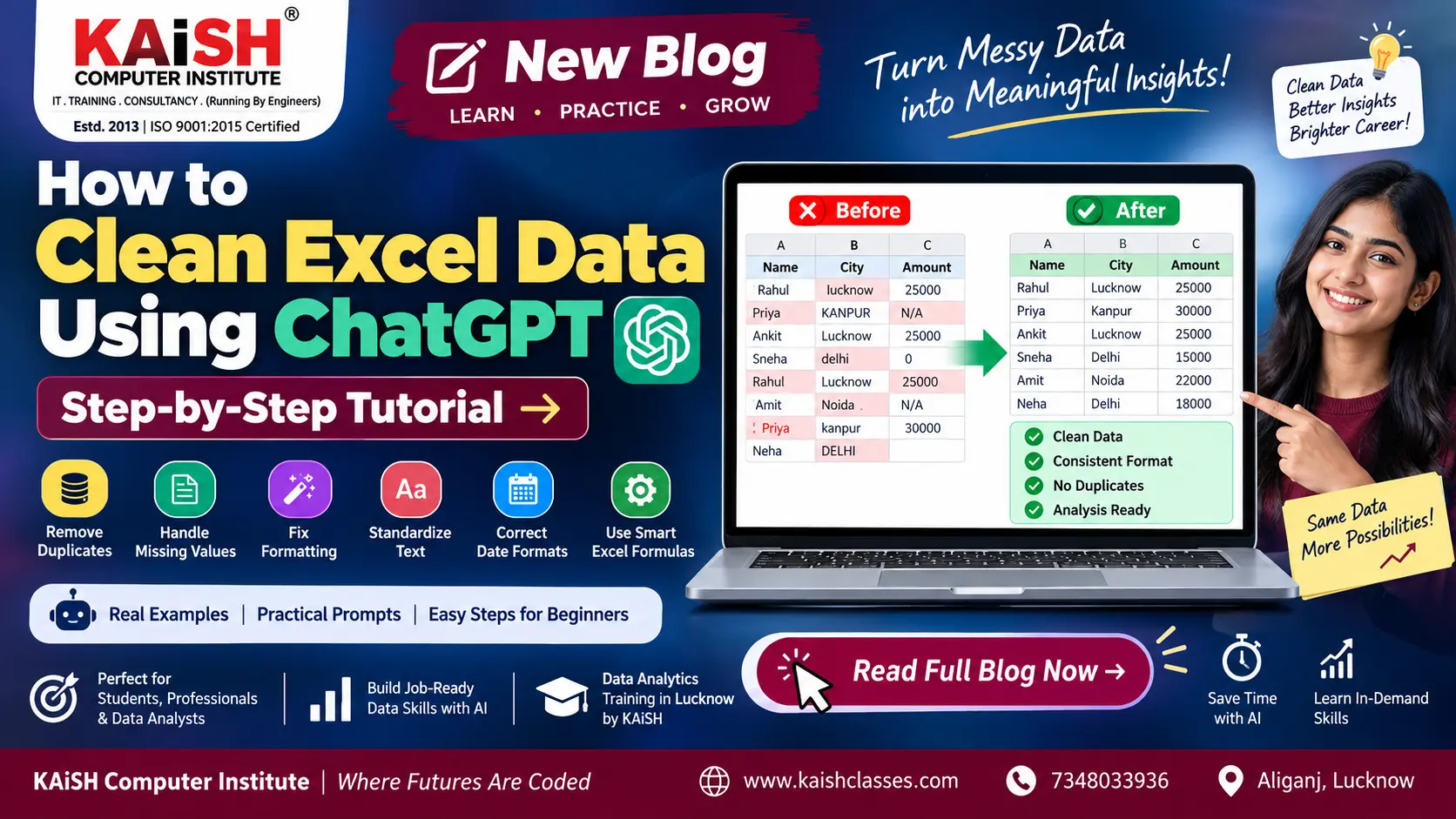
Example: Raw Excel Data vs Clean Data
| Problem | Raw Data | Clean Data |
|---|---|---|
| Extra Spaces | Lucknow | Lucknow |
| Text Case | LUCKNOW | Lucknow |
| Duplicate | C001 appears twice | Duplicate investigated/removed |
| Date Format | 01/09/26 | 01-Sep-2026 |
| Missing Value | Blank | Handled according to business rule |
| Number Format | 25000 stored as text | 25000 as numeric value |
Excel Data Cleaning vs Power Query
For small datasets, traditional Excel formulas and built-in tools may be sufficient.
For larger or repetitive datasets, Power Query can provide a more structured and repeatable data-cleaning workflow.
Common Power Query tasks include:
- Removing duplicates
- Changing data types
- Removing columns
- Splitting columns
- Replacing values
- Trimming and cleaning text
- Filtering rows
- Combining datasets
- Refreshing the cleaning workflow
This is especially useful when the same type of report has to be prepared repeatedly.
How Gen AI Fits into the Data Analytics Workflow
Modern data analysts can use Generative AI as an assistant across several stages of the analytics process.
- Collect Data
- Understand Data
- Clean Data
- Transform Data
- Analyze Data
- Visualize Data
- Generate Insights
- Present Results
Tools such as Excel, SQL, Power BI, Python and Generative AI can work together as part of a modern data analytics workflow.
Why Data Cleaning Is Important for Data Analysts
A dashboard can look professional and still provide misleading information if the underlying dataset contains errors.
Data cleaning helps analysts improve:
- Data accuracy
- Consistency
- Reporting quality
- Dashboard reliability
- Business decision-making
- Analysis efficiency
This is why data cleaning is a core skill for Excel users, MIS professionals and Data Analysts.
Best Practices for Using ChatGPT with Excel Data
1. Never blindly trust generated formulas
Test formulas on a small sample before applying them to the entire dataset.
2. Keep the original dataset
Always maintain a raw, untouched copy of your data.
3. Protect sensitive information
Do not upload confidential customer, financial, employee or other sensitive information to an AI service unless your organization's policies and the service's terms allow it.
4. Explain your dataset clearly
Tell the AI what each column means and what result you want.
5. Validate the output
Compare totals, record counts and important business rules before using the cleaned data.
What Should You Learn After Excel Data Cleaning?
If your goal is to become a Data Analyst, Excel data cleaning is only the beginning.
A practical learning path can include:
- Advanced Excel – formulas, PivotTables, Power Query and dashboards
- SQL – querying and analyzing databases
- Power BI – interactive dashboards and business intelligence
- Python – Pandas, NumPy and data visualization
- Statistics – understanding patterns and relationships
- Generative AI – using AI tools and prompts to accelerate analytical workflows
Learn Data Analytics with Gen AI
If you want to go beyond Excel and learn a complete Data Analytics with Gen AI workflow, KAiSH Computer Institute in Lucknow provides practical training covering tools and skills used across modern analytics workflows.
The training ecosystem includes areas such as Advanced Excel, SQL, Power BI, Python and Generative AI, helping learners build practical data-analysis skills and projects.
Explore Data Analytics Course in Lucknow
You can also explore Advanced Excel & MIS Training in Lucknow if you want to strengthen your Excel and reporting foundation.
Frequently Asked Questions
Can ChatGPT clean an Excel file?
ChatGPT can assist with Excel data cleaning by identifying potential issues, suggesting formulas, creating cleaning rules and explaining transformation steps. The exact file-handling capabilities depend on the ChatGPT version and features available to you.
How do I use ChatGPT to clean Excel data?
Start by understanding your dataset, identify the cleaning requirements and give ChatGPT a clear prompt. You can ask it to help identify duplicates, missing values, inconsistent text, date problems, numbers stored as text and other data-quality issues. Always validate the results.
What Excel functions are useful for data cleaning?
Useful functions can include TRIM, CLEAN, SUBSTITUTE, PROPER, UPPER, LOWER, VALUE, COUNTIF and other functions depending on the data-cleaning problem.
Can ChatGPT generate Excel formulas?
Yes. ChatGPT can generate and explain Excel formulas based on a description of your dataset and the desired result. Formulas should always be tested against sample data before being used on important files.
Is Excel data cleaning important for Data Analytics?
Yes. Clean and consistent data is essential for reliable calculations, PivotTables, dashboards, Power BI reports and analytical insights.
Can I learn Data Analytics without advanced programming knowledge?
Beginners can start Data Analytics with tools such as Excel and gradually learn SQL, Power BI, Python and Generative AI. A structured learning path can make the transition easier.
Final Thoughts
Learning how to clean Excel data using ChatGPT can make your data-analysis workflow faster and more structured. From identifying duplicates and missing values to creating formulas and preparing datasets for Power BI, Generative AI can act as a useful productivity assistant.
But remember: AI-generated suggestions still need human validation. A good Data Analyst does not simply accept an AI-generated answer—the analyst understands the data, checks the logic and validates the result.
If you are starting your Data Analytics journey, begin with Excel data cleaning and gradually build your skills in Advanced Excel → SQL → Power BI → Python → Generative AI.
Ready to build practical Data Analytics skills? Explore the Data Analytics training program at KAiSH Computer Institute, Lucknow.
👉 Explore Data Analytics Course in Lucknow
KAiSH Computer Institute – Where Futures Are Coded
🔗 Related Articles
https://www.kaishclasses.com/top-data-analytics-training-lucknow.php https://www.kaishclasses.com/advanced-excel-course-in-lucknow.php https://www.kaishclasses.com/blog/data-analytics-training-in-lucknow👉 Want to start your career? Join KAiSH Computer Institute today.